
On your PC
Installed Ollama models and WanStudio rendering run on your machine. Private PC storage and local jobs need the host awake and connected.
 Tinv2
A private workshop
for building with AI.
Run a model on your PC or connect an API. Keep the notes and decisions that matter close to the work.
28-second film
A silent introduction to Tin, from local compute and API connections to project memory, creative tools and permissioned MCP connections. The film illustrates concepts rather than recording live integrations.
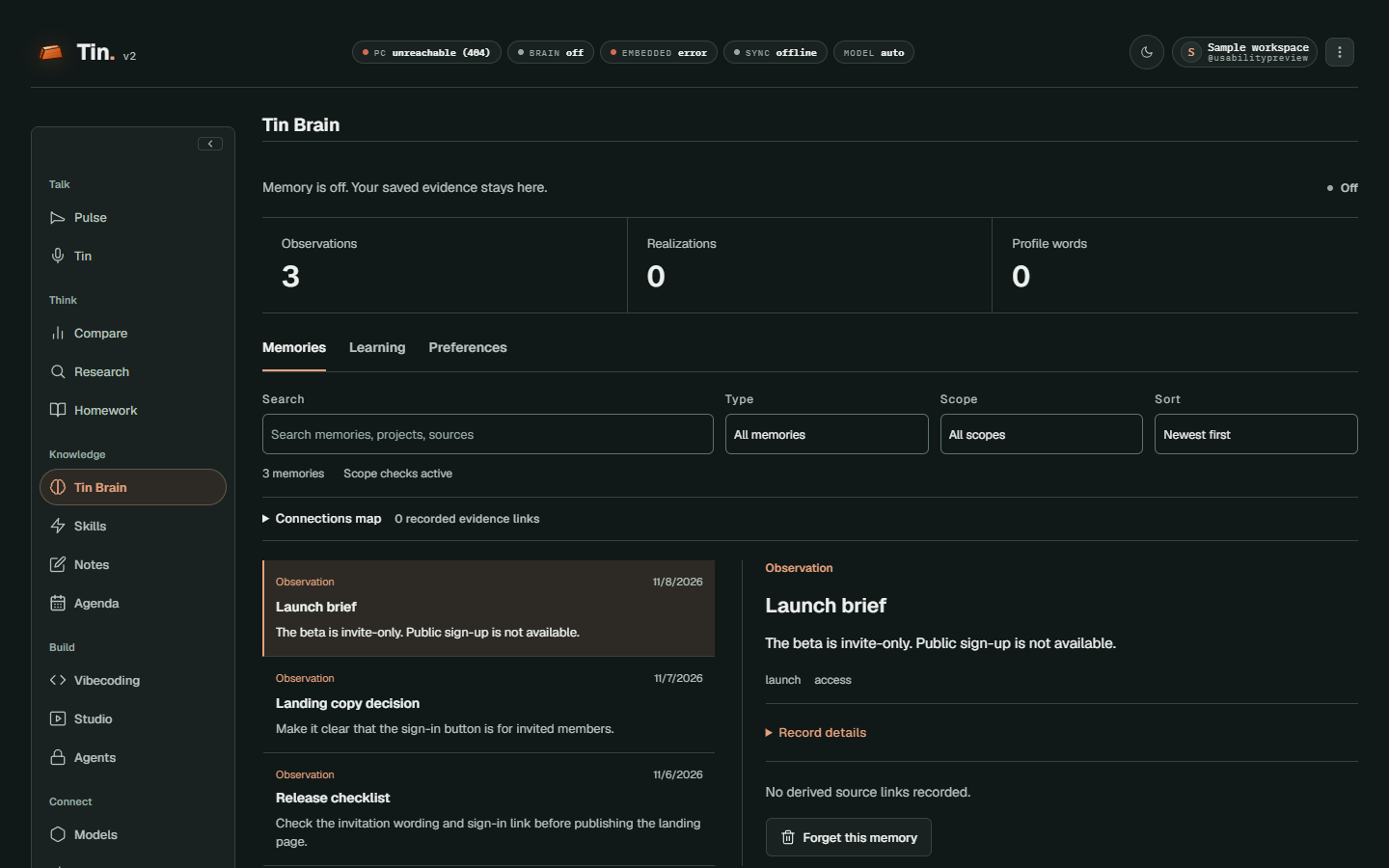
Keep the facts that make a project yours. Tin Brain brings approved notes and decisions into later prompts, with the sources still in reach.
Review the saved context. It does not retrain the model.
Public sign-up is not available.
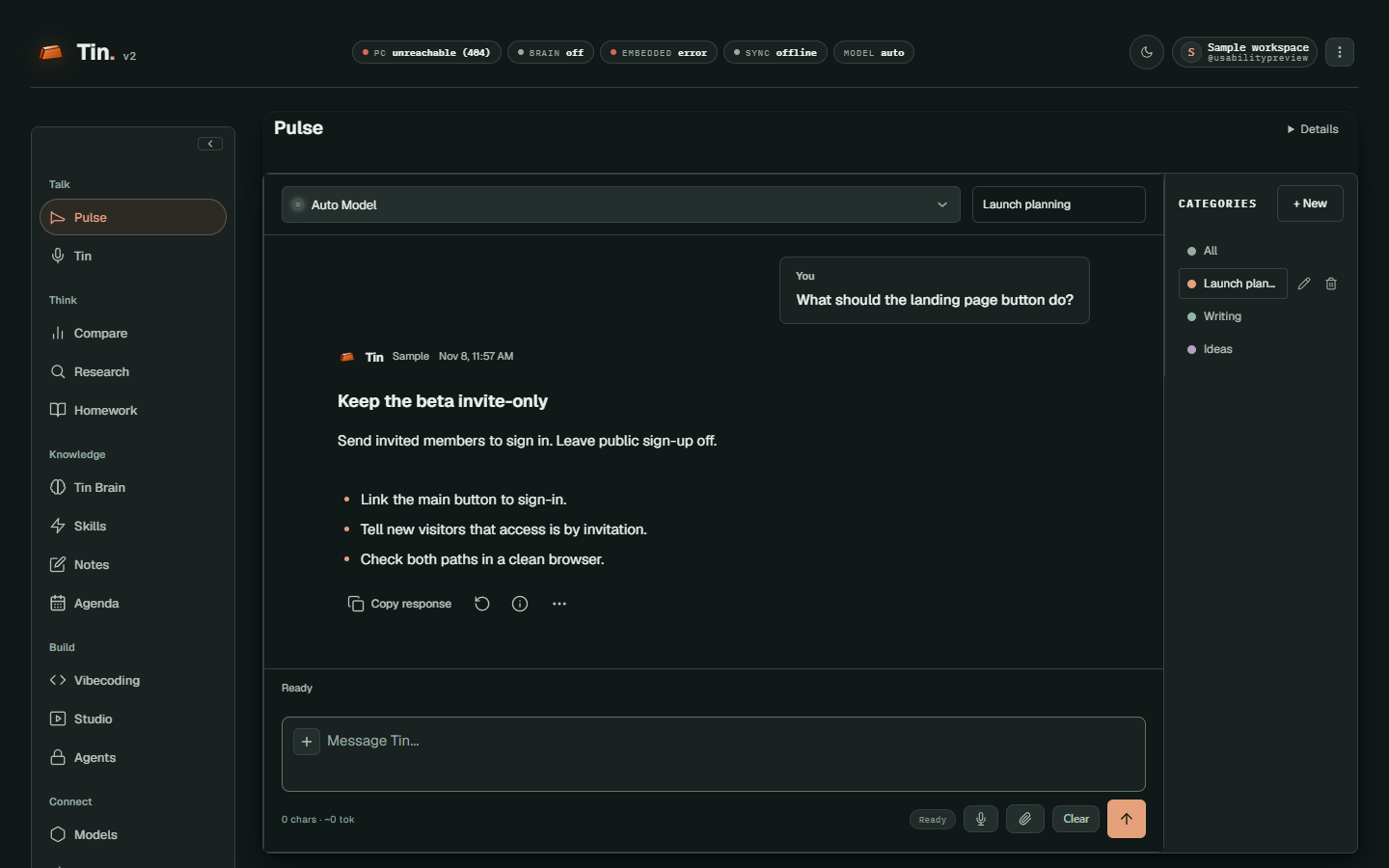
What should the landing page button do?
Send invited members to sign in. Leave public sign-up off.
Illustrated example, not live inference.
See Tin BrainFrom a question in Pulse to a project, a note, or a finished video.
Use Pulse to work through a question with the model and context you choose. Move from quick conversations into cited research, side-by-side comparisons or focused study.
Models and research tools depend on your configured local or cloud connections.
Keep useful context close. Tin Brain turns approved evidence into saved memories and realizations, so later conversations can start with more of what matters.
Learning requires a configured model and approved sources. It saves context; it does not retrain model weights.
Bring conversations, reusable skills and model choices into your development process. Use the tools you authorize, with your project context in reach.
Repository access and local agents need separate setup. Tin does not automatically grant write access or deploy code.
A project, with its context attached.
What it should do.
What we already know.
What needs to happen next.
Develop. Compare. Refine.
Studio brings local video production, post preparation, connected accounts and automation into the same workflow. Keep the final decisions in your hands.
Posting depends on platform permissions and supported integrations. Local schedules need the PC and required services awake and connected.
Your content. Your final say.
Nothing here publishes a post.
Connect your local models and private storage to Tin. Keep control over which services can run and what your account is allowed to reach.
Private PC storage and local compute are available only while the host and route are online. Remote desktop requires local consent.
Local models · Private storage
Approved tools
Access is a permission. Not an assumption.
Installed Ollama models and WanStudio rendering run on your machine. Private PC storage and local jobs need the host awake and connected.
API providers, social accounts and n8n require separate setup. Cloud providers receive the requests you authorize and may have their own costs.
Personal context going to cloud models requires opt-in. Review saved memories and authorize individual connections, including supported MCP tools.
Access is currently invitation-only. Existing members can sign in. Public signup is not available.
For features running on your PC, yes. Local models, private PC sync, local video tools and scheduled local workflows need the host awake, connected and running the required services. Cloud connections have separate requirements.
Brain can save approved project evidence and model-generated realizations for future retrieval. You can review those records and their sources. This is context and memory, not training a new model; useful output depends on the connected model and evidence.
Studio prepares content and supports publishing workflows for configured destinations. Each platform requires its own permissions, and some features need developer review. A platform appearing in Tin does not mean your account is connected or approved to publish.
Tin is not offering a paid subscription here. Running local tools uses your hardware and electricity. Optional cloud models, platform services and hosting may have their own costs or limits. Connecting them doesn't remove those limits.
Tin uses encrypted account storage and permission controls. Configured cloud models and connected services receive the requests you authorize. Protect your passphrase and devices, and keep backups; no website can promise that it cannot be hacked.